Gaussian Splatting
Turning phone video and photos into 3D scenes you can orbit in a browser, trained on a rented graphics card.
Why I made it
I wanted to walk around somewhere with my phone and come back with something I could orbit later, without buying a scanner. The part that costs money is the graphics card, and I rent one: a full run is about 40 cents. The expensive part is really the trip, because you cannot go back to a place you have left.
It also turned out to be useful beyond this project. My House23D project, which turns a room into a measured 3D model, uses parts of the same technology, including the step that works out where the camera was for every photo.
What it is
A Gaussian splat is a 3D scene you can move around in on a screen, built only from photos. It is made of hundreds of thousands to a few million tiny, soft-edged, slightly see-through blobs of colour hanging in space. From far away they add up to a place. If you have seen a pointillist painting, it is the same trick in three dimensions. The computer starts with a rough cloud of blobs and keeps nudging them until, seen from where each photo was taken, they look like that photo. After that you can look from anywhere else.
What it does
I film or photograph a place. One program picks the sharpest pictures. Another works out where the camera was for each one, which is where several of my scenes went wrong. Then the rented card fits the blobs. I clean up the result and look at it in a web page, either on my laptop or on my phone, where tilting the phone moves the view like a window.
What happened
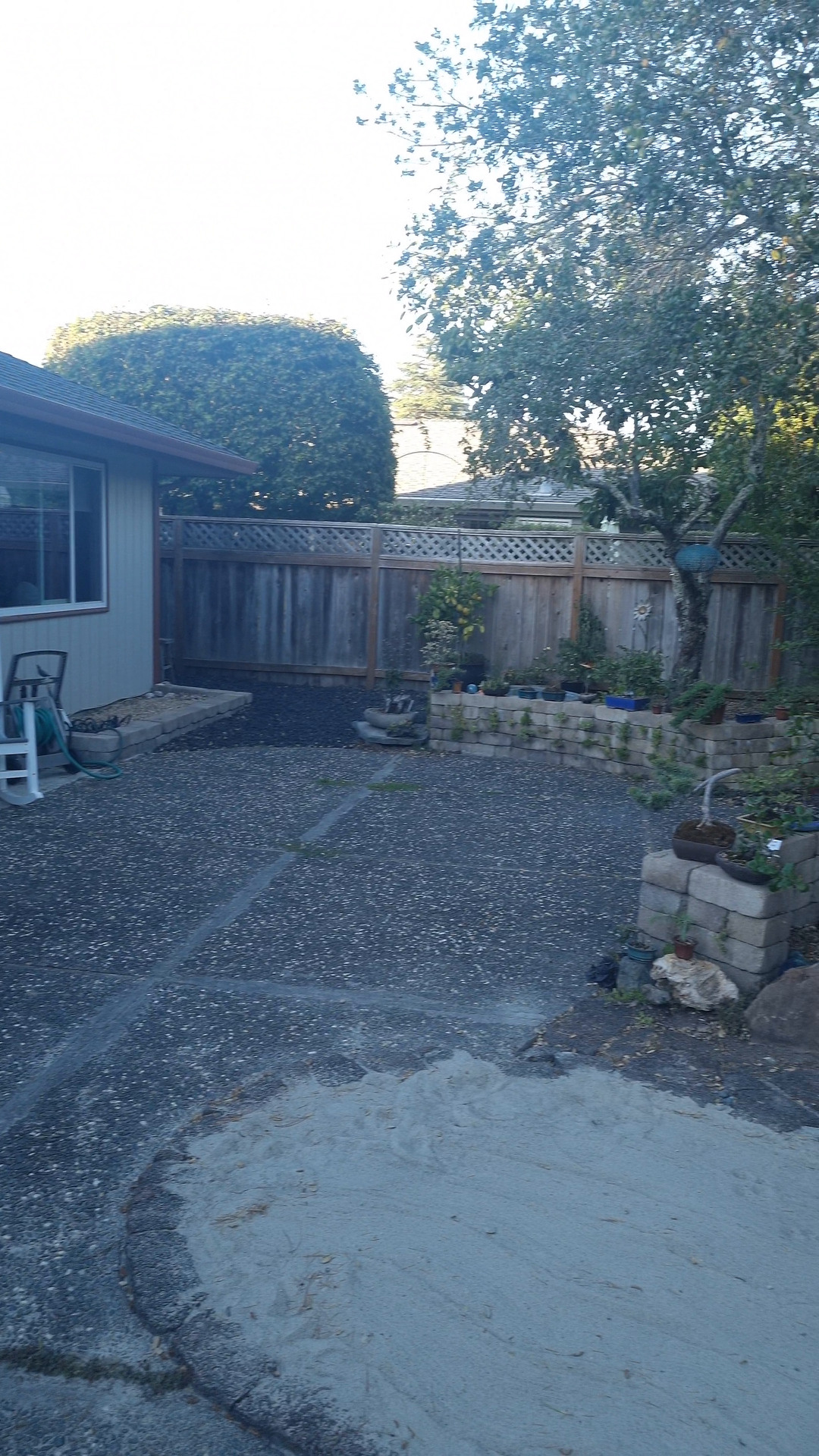
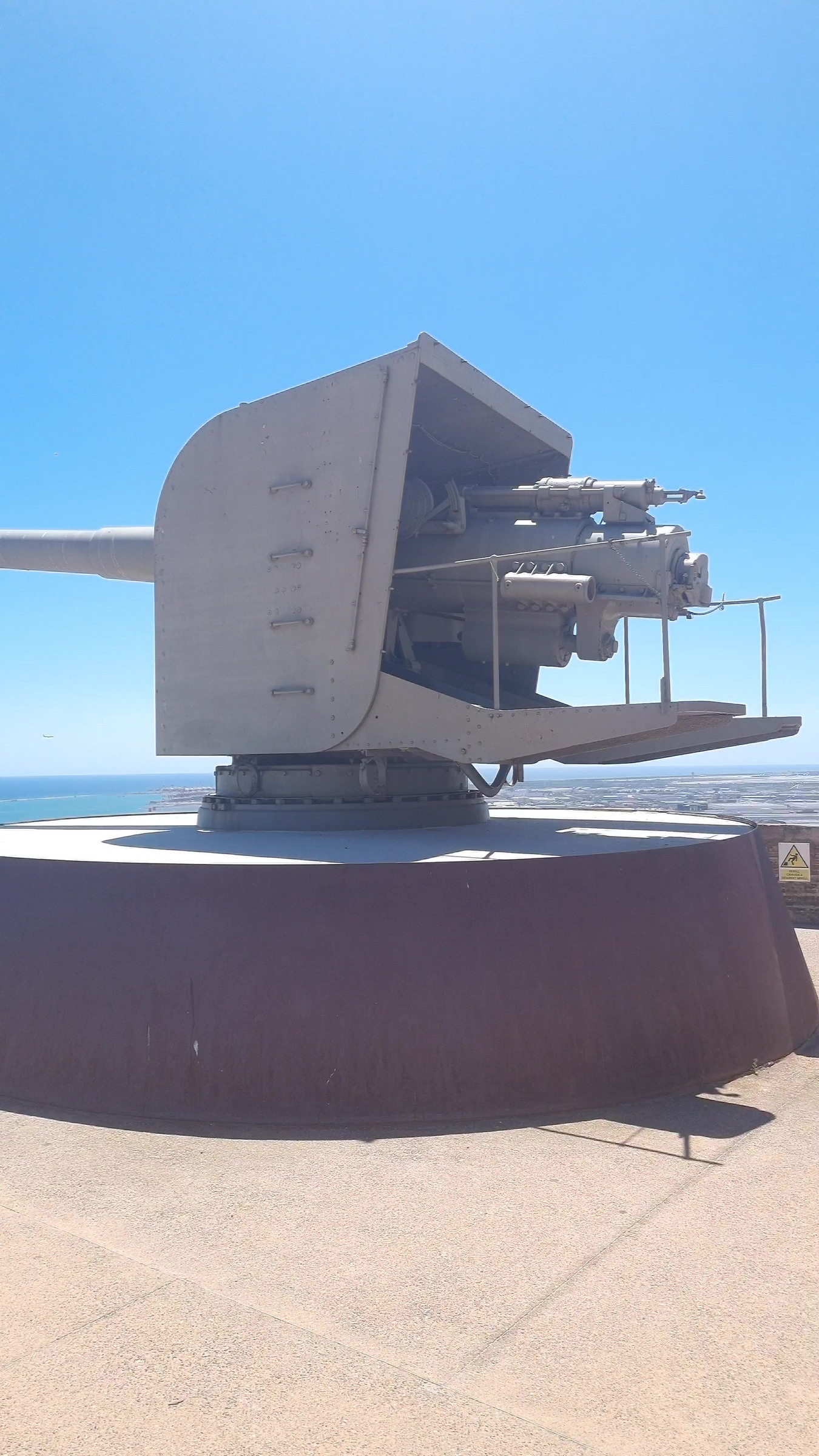
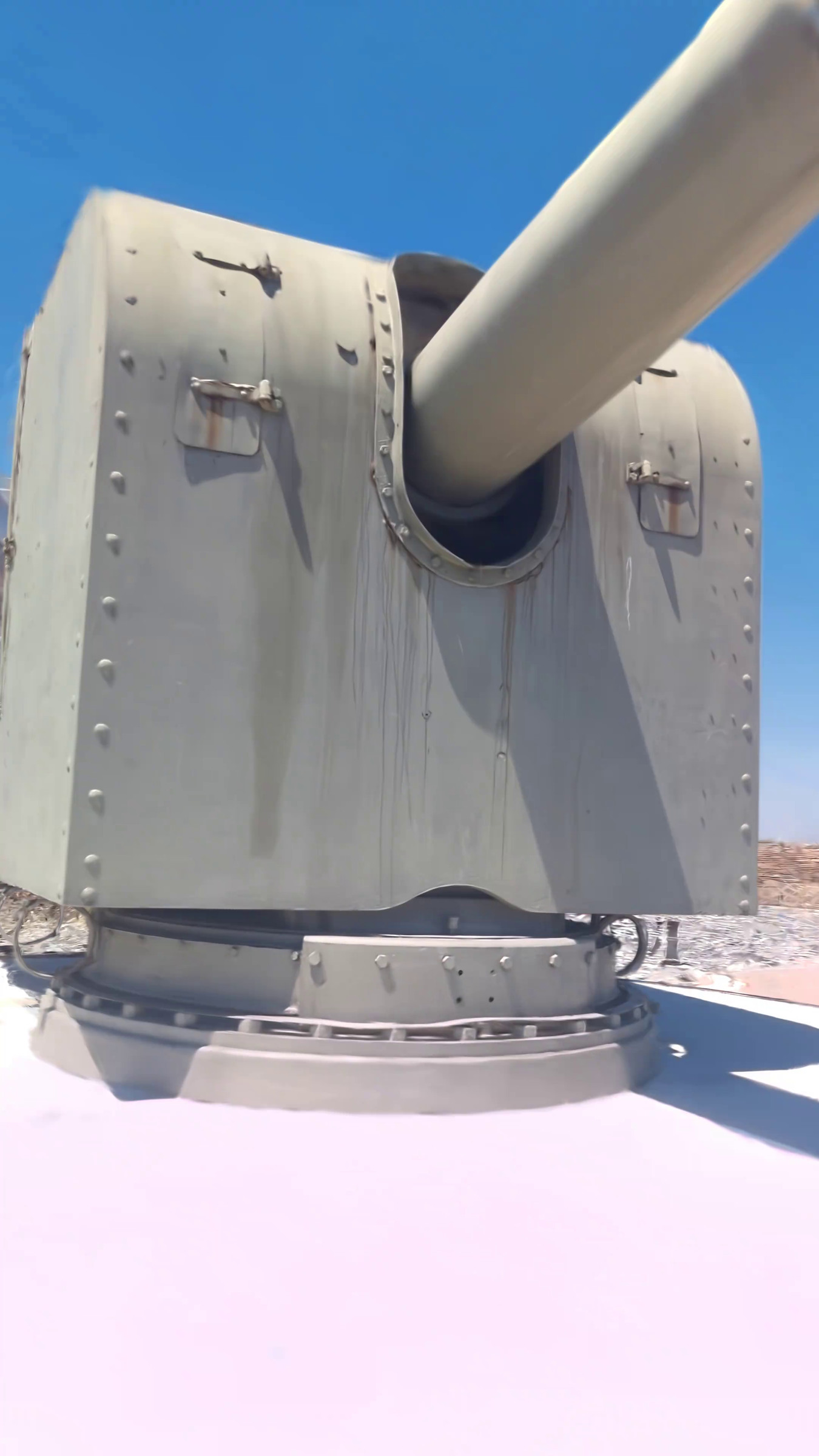
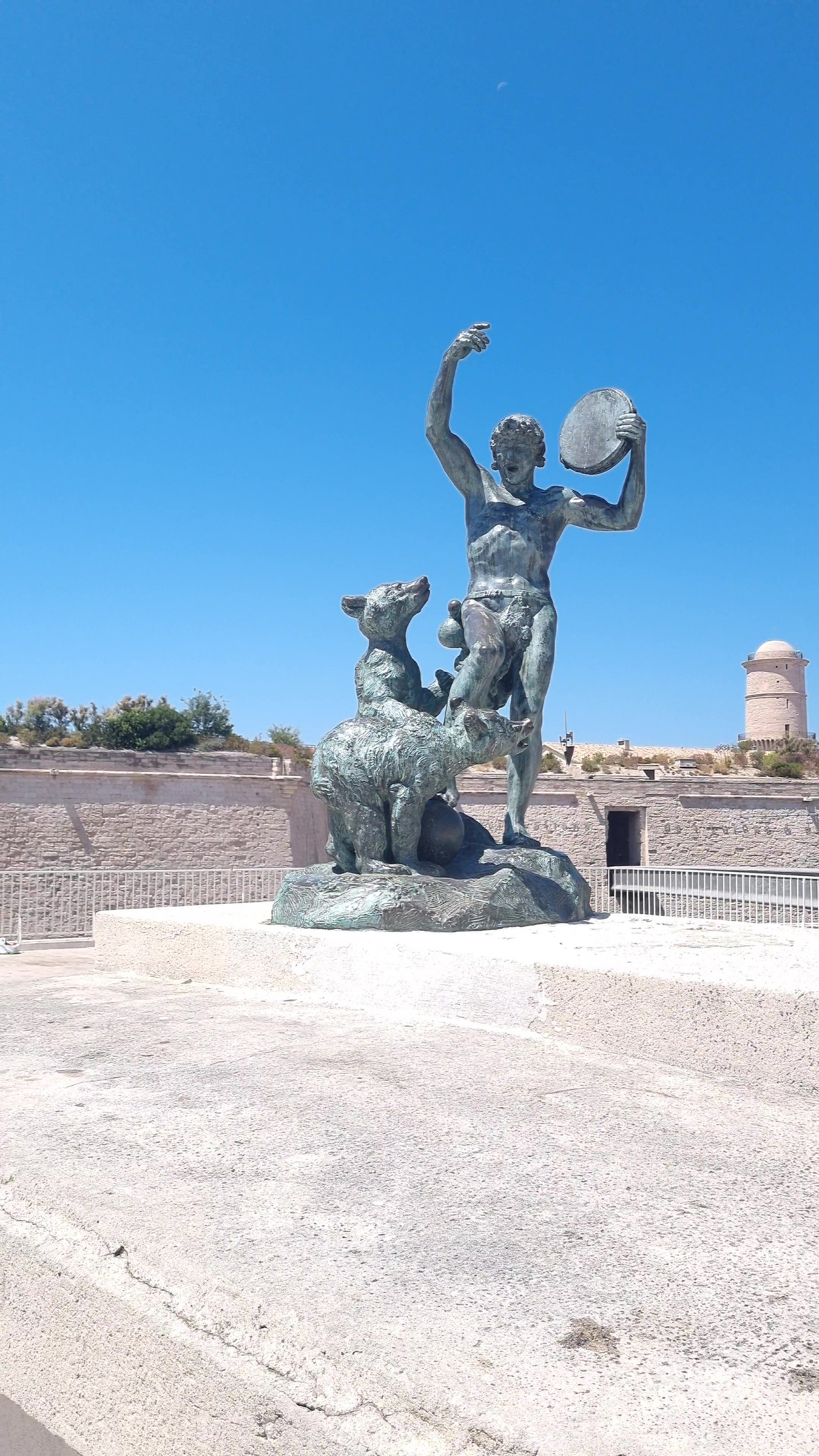
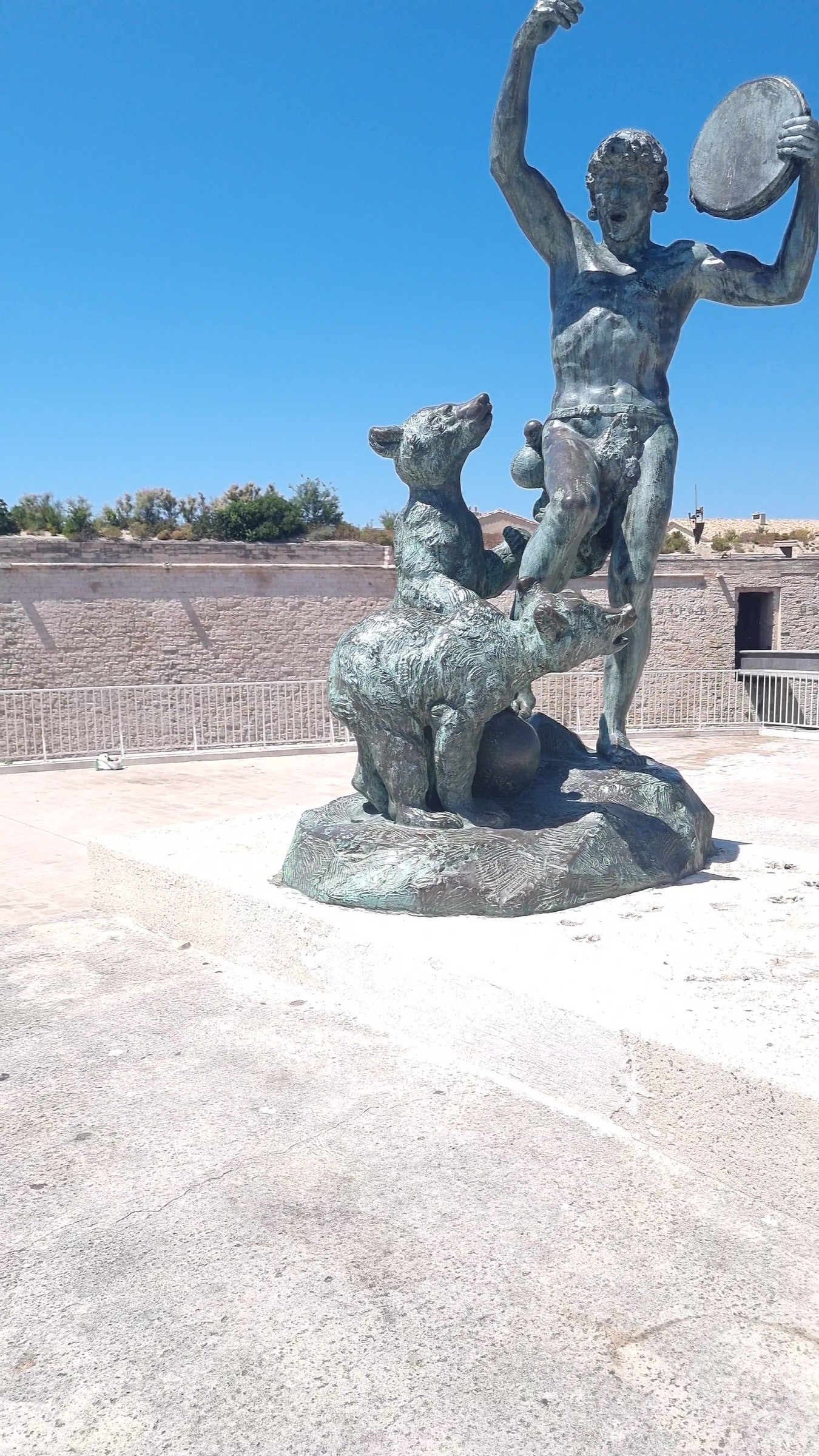
The gun turned out well, and so did a bronze statue of a man with a tambourine and two bears: every photo found its place and it orbits cleanly. The courtyard behind a house is my cleanest large scene, and the clip at the top is from it. It is still a bit smeared in places.
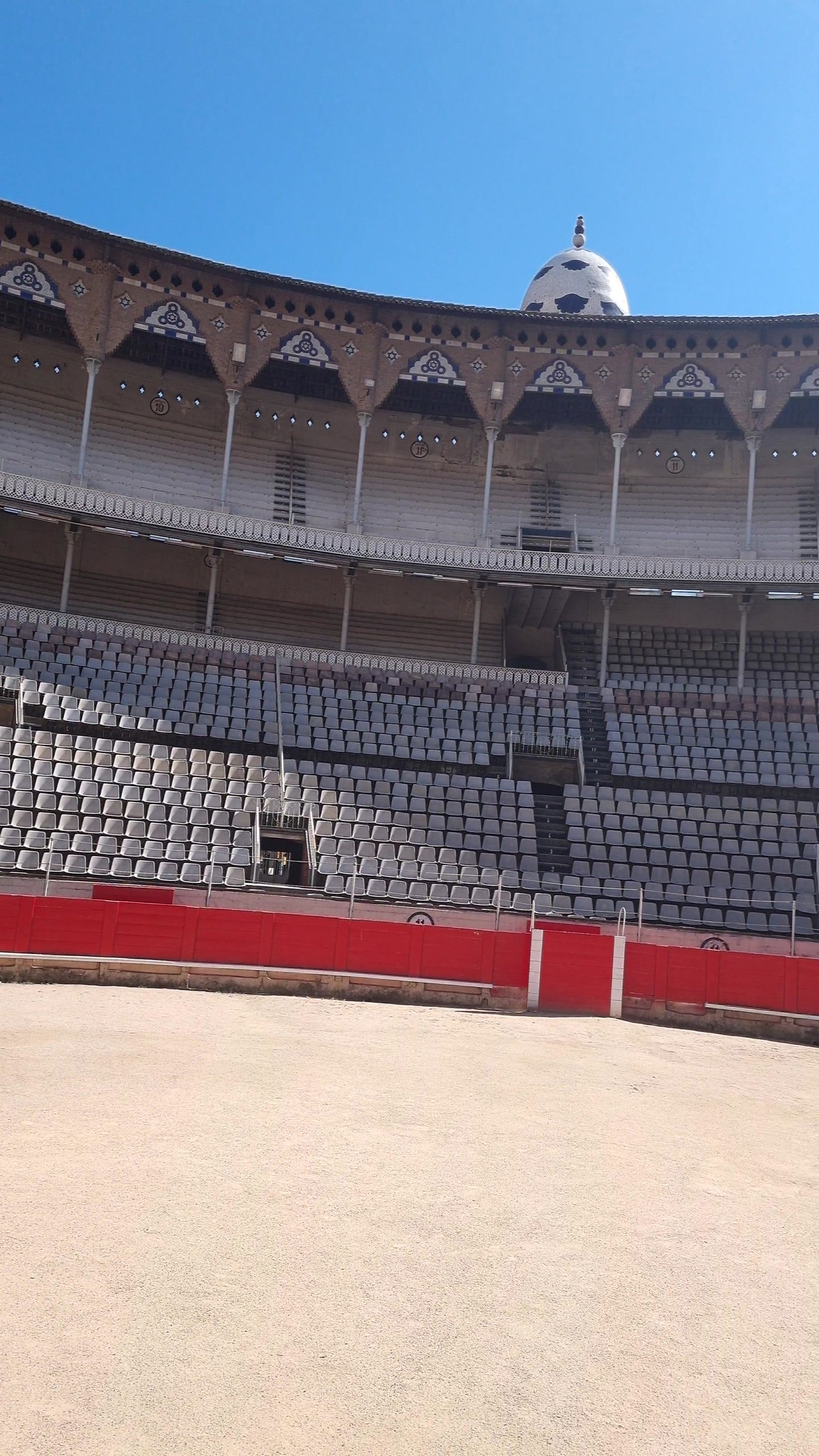
Some scenes did not work. The bullring has rows of identical seats, and the camera-finding step cannot tell one seat from another, so the scene folds back onto itself and only one side of the arena exists. Dark scenes are a coin flip, even with a better method for finding the cameras.
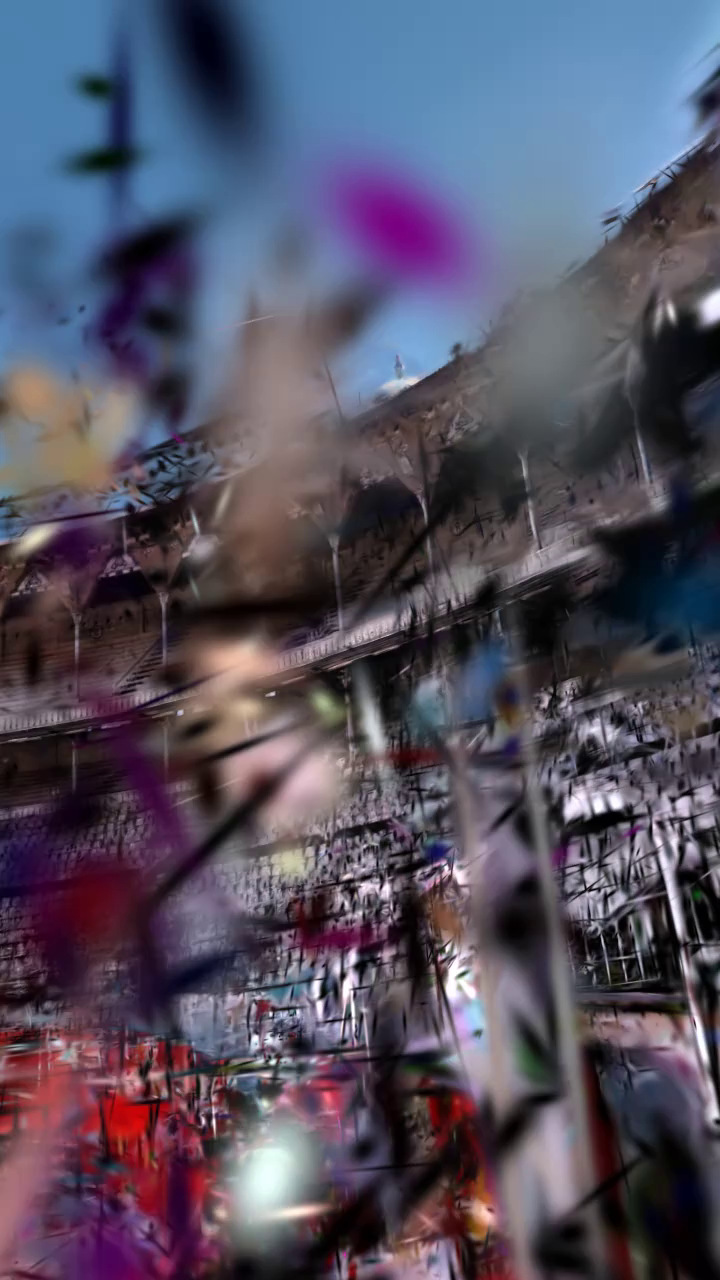
Almost every scene that looked bad came down to how I shot it rather than the software: blur in dim light, turning on the spot instead of walking around, or nothing unique in view to hold on to.
What's next
I want to go back and reshoot the weak scenes properly, then try methods that remove moving people and the floating specks on their own. I have not tried any of those yet.
What I wanted
I wanted to walk around somewhere with a phone and end up with something I could orbit afterwards, without buying a scanner. The software that does the hard parts is other people's work: COLMAP and hloc for camera poses, nerfstudio's splatfacto and gsplat for training, an open-source web viewer for showing the result. What I wrote is the glue between them and the captures, and I learned a lot about what goes wrong. The scenes are from June and July 2026.
The same pieces show up in House23D, where I turn a room into a measured Blender model. It uses COLMAP for the camera poses and the same idea of keeping the sharpest frame in each window, so the two projects share a good part of their front end.
Training runs at full 4K on a rented vast.ai RTX 4090, about $0.35 an hour and about $0.40 a run, so trying a scene again is cheap. The capture is the expensive part, because you cannot go back to a trip.
At 5 frames a second, the courtyard video gave 1,624 frames, and some of them were blurred or nearly black, so I had to choose which ones to hand to the pose solver.
How it works
What is a Gaussian splat?
Instead of a mesh of triangles, the scene is a cloud of millions of 3D Gaussians: soft, oval blobs that each have a position, a size and orientation, a colour and an opacity. To draw an image from some viewpoint you project the blobs onto the screen and blend them front to back. Training adjusts all those numbers until the images drawn from the photos' camera positions match the photos.
Training: nerfstudio's splatfacto at true 4K on a rented RTX 4090, about $0.40 a run.
Picking frames. For the courtyard I extracted 1,624 frames at 5 fps, about 325 seconds of video. select_frames.py scores each frame by sharpness (the variance of the Laplacian) times an exposure weight. The weight is 0 at a mean brightness of 22, full at 55, and falls back to 0 between 205 and 238. It takes the best frame in each one-second window and drops any window still under sharpness 25 or brightness 22. That kept 299 of 325 windows.
What does the variance of the Laplacian measure?
The Laplacian picks out places where brightness changes quickly, which means edges. A sharp photo has strong edges everywhere, so the spread (variance) of that response is large. A blurred one is smooth and the spread is small. It is a cheap blur check, and it knows nothing about content: a plain wall scores low even in perfect focus.
Poses. COLMAP solves the camera poses. When it fails I switch to hloc, with SuperPoint features and SuperGlue matching.
What is a camera pose, and what does COLMAP do?
A pose is where a camera was and which way it pointed when it took a photo. COLMAP works the poses out from the photos alone: it finds distinctive points that appear in several photos, matches them, and solves for the camera positions and a sparse cloud of 3D points together. Training cannot start without them.
People. If someone walked through the shot, make_masks.py runs torchvision's DeepLabV3 (ResNet-101) at 1024 px on the long edge, takes the person class, grows it with a 25-pixel kernel (about 12 pixels each side at that size), and writes a mask per frame. inject_masks.py adds the masks to transforms.json so training ignores those pixels.
Training. nerfstudio's splatfacto at downscale factor 1, so true 4K, with a bilateral grid (a small per-photo colour correction) and antialiased rasterisation.
Viewing. clean_to_splat.py turns the exported PLY into a 32-bytes-per-splat .splat file (position, scale, colour with opacity, rotation), sorted by size times opacity so a viewer draws the big splats first. It also culls splats outside the 0.5 to 99.5 percentile bounding box widened by 40%, the largest 0.5% by scale, and anything under 0.03 opacity. My own pages load the file with the open-source gaussian-splats-3d viewer on three.js: orbit, a gyroscope "magic window" for the phone, and a WebXR page. The phone reaches them over HTTPS on Tailscale, because motion sensors need it. I also render twelve views in a ring with gsplat, to check a scene without opening the viewer.
Results
There is no benchmark here. I judge a scene by looking at it. What I can show is how the frame picker did on the courtyard. I only kept the scores of the frames it picked, so this shows what survived, not what it threw away.
Even after picking, 93 of the 299 frames sit below brightness 55, where the exposure weight is not yet full. Here are twelve frames spread across the walk, dim and bright, with the numbers the picker saw. With JavaScript on, a ringed dot on each plot above follows the frame you choose.
Twelve of the 299 frames, with the picker's numbers
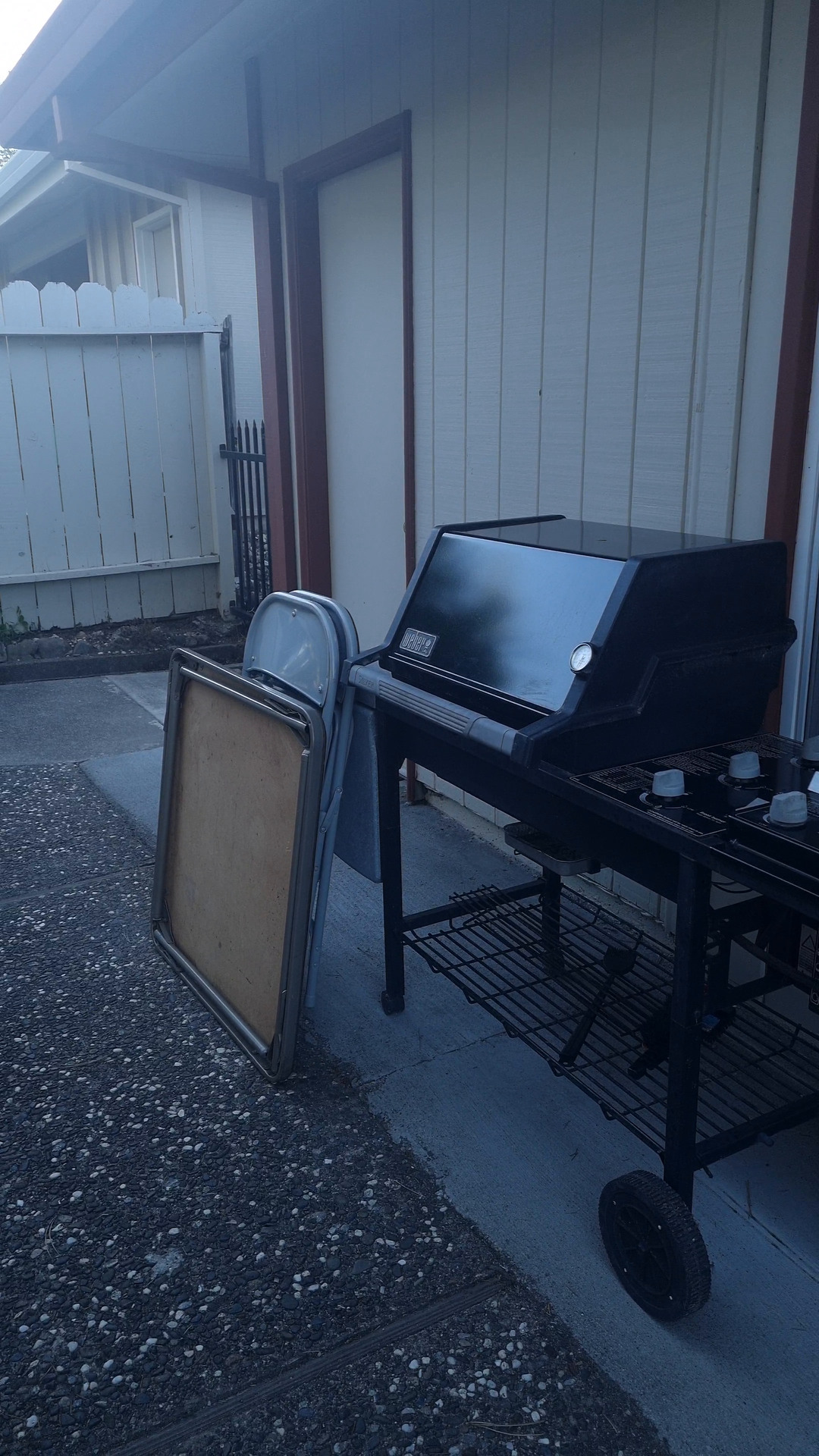
t 0.8 s · sharpness 531 · brightness 75 · exposure weight 1.00 · score 531
The first frame it picked. Sharp, evenly lit, the barbecue by the door.
The pink band with the red outline on the dial is the brightness where the exposure weight is full (55 to 205). The outlined, unfilled bands either side ramp it up or down, and the black ends score zero.
The courtyard export is 56 MB, roughly 1.75 million Gaussians. Here are four of my scenes, photo and render side by side, and the table after them lists more. The renders come from viewpoints I picked, so they never match the photo's angle.
Photo from the capture, and a render from the splat
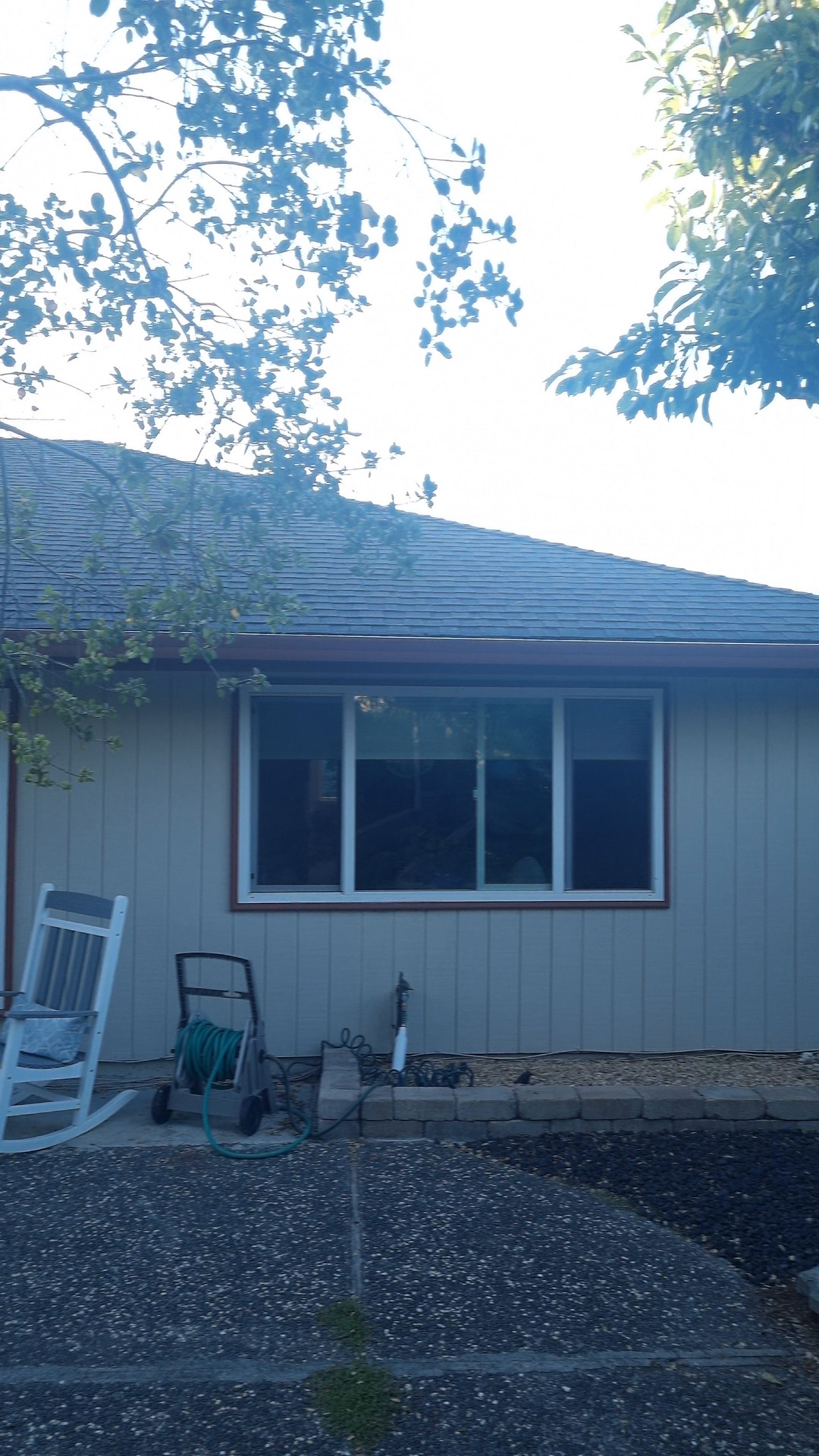
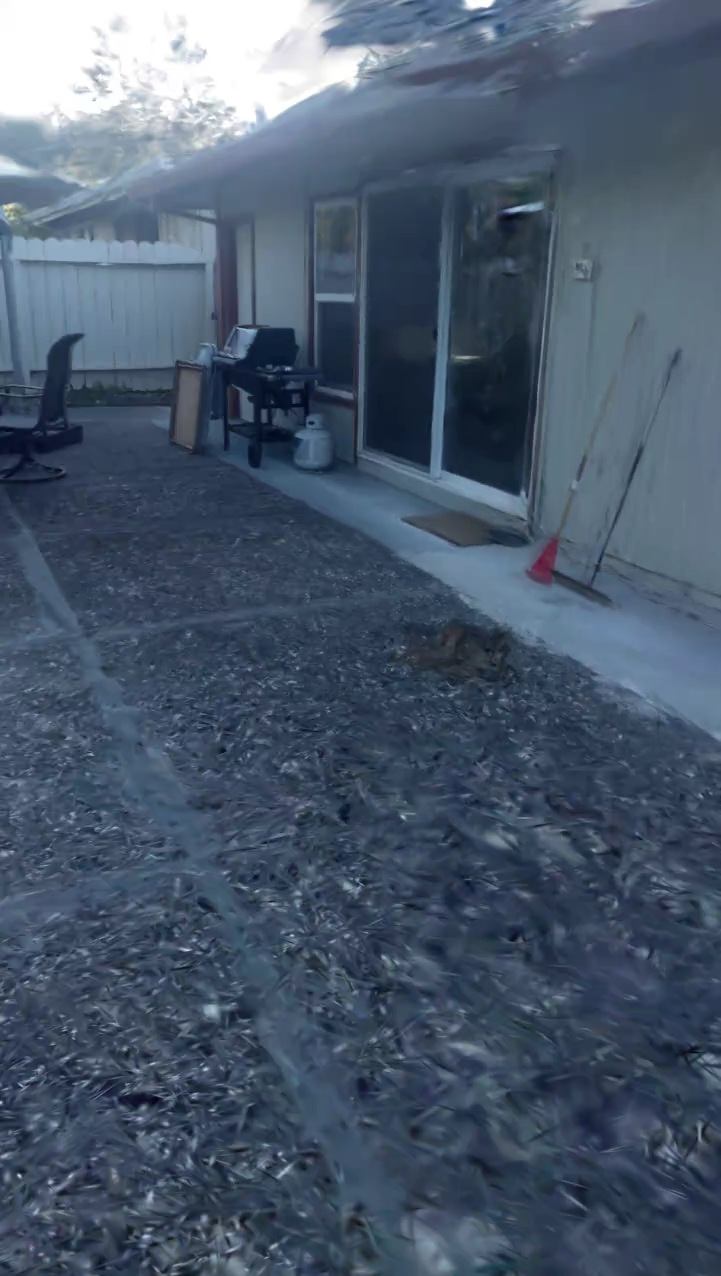
Outdoor, golden hour, 1.75 million splats. The light drifts across the walk, and you can see it as colour shifts in places. The render is smeared in the lower and left parts.
| Scene | Conditions | Poses | Splats |
|---|---|---|---|
| Courtyard | Outdoor, golden hour | - | 1.75 M |
| Tambourine statue | Bright midday, 4K | 100% registered | 1.29 M |
| Gun | Bright daylight, symmetric | COLMAP failed, hloc 99.6% | 0.43 M |
| Night statue | Very low light | Matching about 10%, hloc 98% | 0.80 M |
| Indoor room, v1 | A person walked through | - | 0.64 M |
| Indoor room, v2 | Person masked | - | 1.64 M |
| Bullring | Repetitive seating | Folds; one side only | 1.12 M |
What didn't work
Almost every scene that looked bad was a capture problem, not a training one. The same three causes keep coming back: motion blur in dim light, too little parallax (turning on the spot instead of walking around), and symmetry.
The bullring. Rows of identical seats make COLMAP fold the scene onto itself, and only one side of the arena reconstructs. I tried the same footage with hloc and with GLOMAP. Neither gave me a scene I would call a result.
Dark and symmetric scenes. Ordinary matching registered about 10% of the photos of the night statue. Learned matching (hloc with SuperPoint and SuperGlue) raised that to 98%. Dark scenes are still a coin flip. The gun needed the same rescue, since a turret looks nearly the same from every side.
What is hloc?
hloc is a toolbox for finding camera poses with learned parts. SuperPoint finds keypoints in each photo and SuperGlue decides which keypoints in two photos are the same spot, then the poses are solved from those matches. Learned matching copes better with dark, blurry or repetitive photos than the usual hand-made features, which is why it saved the scenes COLMAP could not do.
The indoor room. Version 1 has ghosting from a person who walked through, plus floaters. Version 2 masks the person and was trained at full quality, and it is the best of the three versions I made. I never tested the masks on their own, so I cannot say how much of the gain is theirs. I also tried BAD-Gaussians, a motion-deblur method, on the same room. It helped, but it softened detail. The softness came from motion blur in dim light, which taking photos instead of video would have avoided.
Orientation. The night statue loads tilted in the viewer and needs an "up-axis" button, because I never normalised its orientation.
The rule I took from all of this: the capture is the biggest quality lever. 4K only sharpens what the geometry already got right.
An earlier attempt: Phone2Splat
Phone2Splat is a separate, public project from December 2025. A React Native (Expo) app streams JPEG frames, with accelerometer and gyroscope readings, over a WebSocket to a Python server on the laptop. The server saves them in TUM RGB-D layout with the camera intrinsics and writes a config for MonoGS, a monocular Gaussian SLAM system. It checks a capture before it is used (at least 30 frames and 3 seconds, no long gaps between frames, a sensible IMU rate), and an end-to-end test fakes a phone. The pipeline above does not use it.
What I want to try next
First, recapture the weak scenes properly. After that, in the order I would run them (I have not run any of these yet): gsplat's MCMC densification, aimed at the floaters; Mip-Splatting, for the aliasing you get when you zoom; Splatfacto-W, which learns per-image appearance and drops moving objects, so it could replace my manual masks; and pose-free reconstruction (InstantSplat with MASt3R, or VGGT) as a way past COLMAP on the bullring. For file size, .spz compression with hand cleanup in SuperSplat would beat truncating files.
- Stack
- COLMAP, hloc (SuperPoint, SuperGlue), nerfstudio splatfacto, gsplat, vast.ai RTX 4090, DeepLabV3 for masks, gaussian-splats-3d viewer on three.js
- Status
- Working. Scenes train and view; quality is limited by how I capture them. Scenes from June and July 2026. I have not run the newer methods yet.
- Code
- Pipeline scripts: not public. github.com/Forkei/Phone2Splat (public, separate earlier project).
- Related
- House23D uses COLMAP and the same frame selection for a different goal.